Automola + Housecall Pro
for the office work after the click.
Housecall Pro can keep the job, schedule, estimate, dispatch, and customer record. Automola helps keep the next message moving.
Automola + Housecall Pro means Automola can act as an AI workflow layer around Housecall Pro: it watches approved signals, drafts or runs routine next steps, holds sensitive decisions, and leaves a receipt tied to the source.
What Housecall Pro is doing.
Housecall Pro is home services business management software with scheduling, dispatching, estimates, review management, job tracking, customer management, and related operations features.
External reference: Housecall Pro official site
What Automola can own.
Implementation depends on your Housecall Pro account, available integrations, connected communication tools, and the approval rules you choose.
From the first lead to the next idea.
The same managers work every stage — and tie Housecall Pro to the rest of the tools you already run.
Nova answers the new job request fast, sends the estimate from Housecall Pro, and follows up before the homeowner books someone else.
Sarah confirms appointments, sends "on the way" texts, and follows up for the review and the rebook, keeping customers loyal between visits.
Atlas keeps the schedule tidy and the day moving while payments flow through Housecall Pro — Automola just makes sure nothing waits on a person.
Pico revives quiet customers and turns one-off jobs into recurring service plans and repeat work — the steady revenue that grows a service business.
Use it when the tool has the record, but nobody owns the next step.
The office has enough software but still loses time between job updates and customer replies.
Estimates need a thoughtful follow-up rhythm.
Schedule and dispatch changes create messages nobody has time to write.
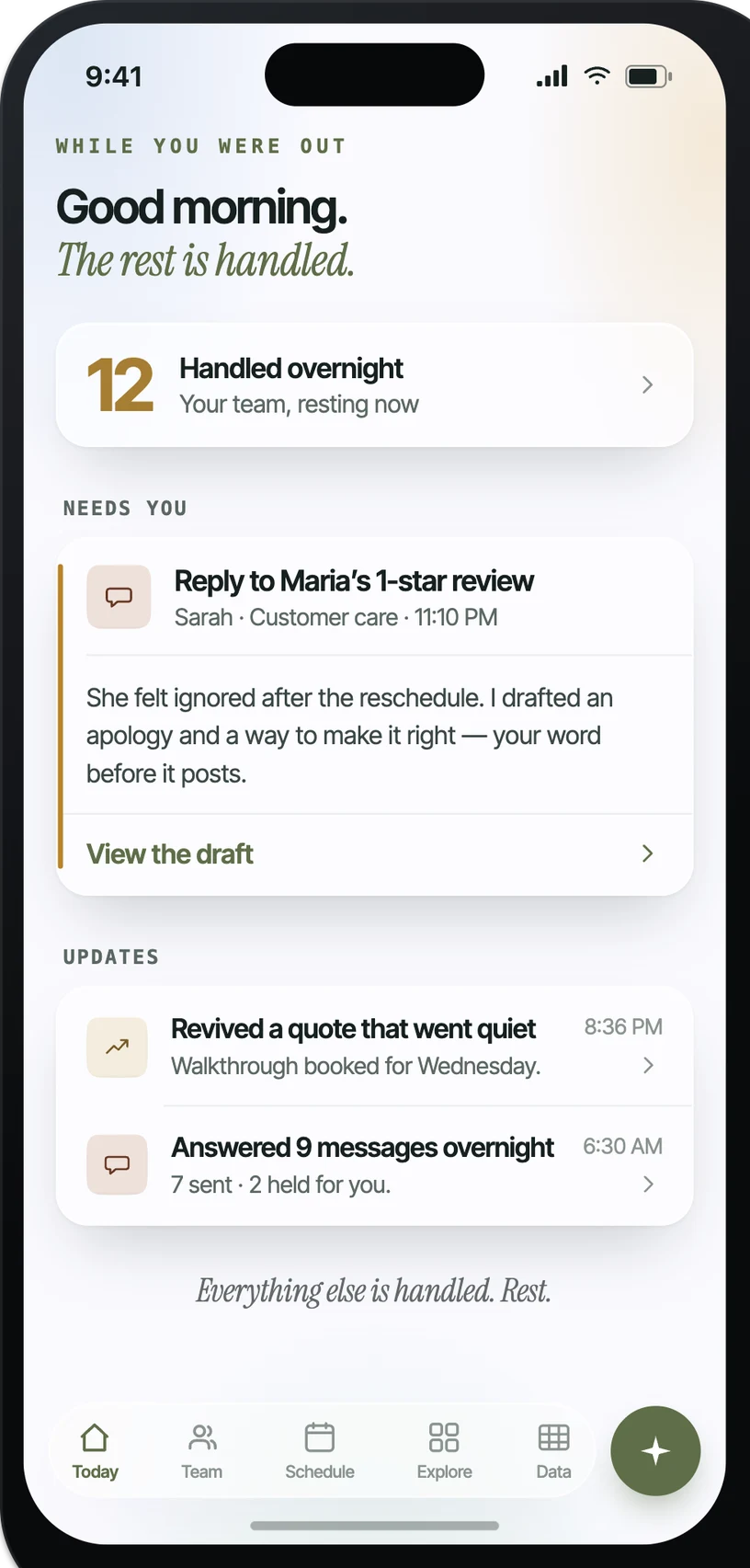
What it looks like in practice.
Example: when New job, estimate, or customer message, Automola can summarizes the context, drafts the reply, and asks only for missing details.. The owner control is explicit: holds unusual requests, price questions, or unhappy customer situations.
What actually runs around Housecall Pro.
Practical workflow patterns, not a claim of a certified app.
The inputs Automola can watch.
The work Automola can prepare.
What never happens without your word.
Automola is built around a simple rule: it can move routine work, but it stops before anything that makes a new promise, changes access, affects money, or touches a sensitive customer situation.
Plain answers.
What does Automola add if we already use Housecall Pro?+
It gives the work between records a manager: replies, follow-up, schedule communication, review asks, and exception routing.
Can Automola work from email and calendar first?+
Yes. Many useful workflows start from inbox and calendar context, then expand where deeper integration access is available.
Will customers know an AI wrote the message?+
You control the tone, signature, and approval lane. Sensitive messages can stay drafted until a person approves them.
Start with Housecall Pro.Keep the owner in control.
Connect the tools you already use. Let Automola run the routine workflow around Housecall Pro, and keep sensitive decisions with you.