Automola + Gmail
for the inbox that runs the business.
Gmail is where customers, leads, vendors, and internal notes already land. Automola helps turn those threads into handled work and held decisions.
Automola + Gmail means Automola can act as an AI workflow layer around Gmail: it watches approved signals, drafts or runs routine next steps, holds sensitive decisions, and leaves a receipt tied to the source.
What Gmail is doing.
The Gmail API can access Gmail mailboxes and send mail with authorized access. It supports use cases such as message sending, mailbox organization, filtering, labels, threads, and push notifications.
External reference: Gmail API overview
What Automola can own.
Implementation depends on Google authorization, scopes, Workspace settings, account permissions, and the send/draft rules you approve.
From the first lead to the next idea.
The same managers work every stage — and tie Gmail to the rest of the tools you already run.
Nova works the inbox most businesses actually run on — catching the lead buried in Gmail, replying fast, and routing it before it slides down the thread.
Sarah drafts the replies you have been avoiding and follows up on the email that went quiet, keeping every customer answered from the inbox they already use.
Automola triages Gmail, surfaces what needs a human, and connects the email to your calendar, CRM, and records — so the inbox stops being the bottleneck.
Pico mines past threads for follow-up and revival opportunities, turning a full inbox from a source of stress into a source of the next job.
Use it when the tool has the record, but nobody owns the next step.
The owner inbox is the real CRM.
Customer replies, vendor notes, and internal asks are mixed together.
The team needs fast drafting and triage without losing the owner approval path.
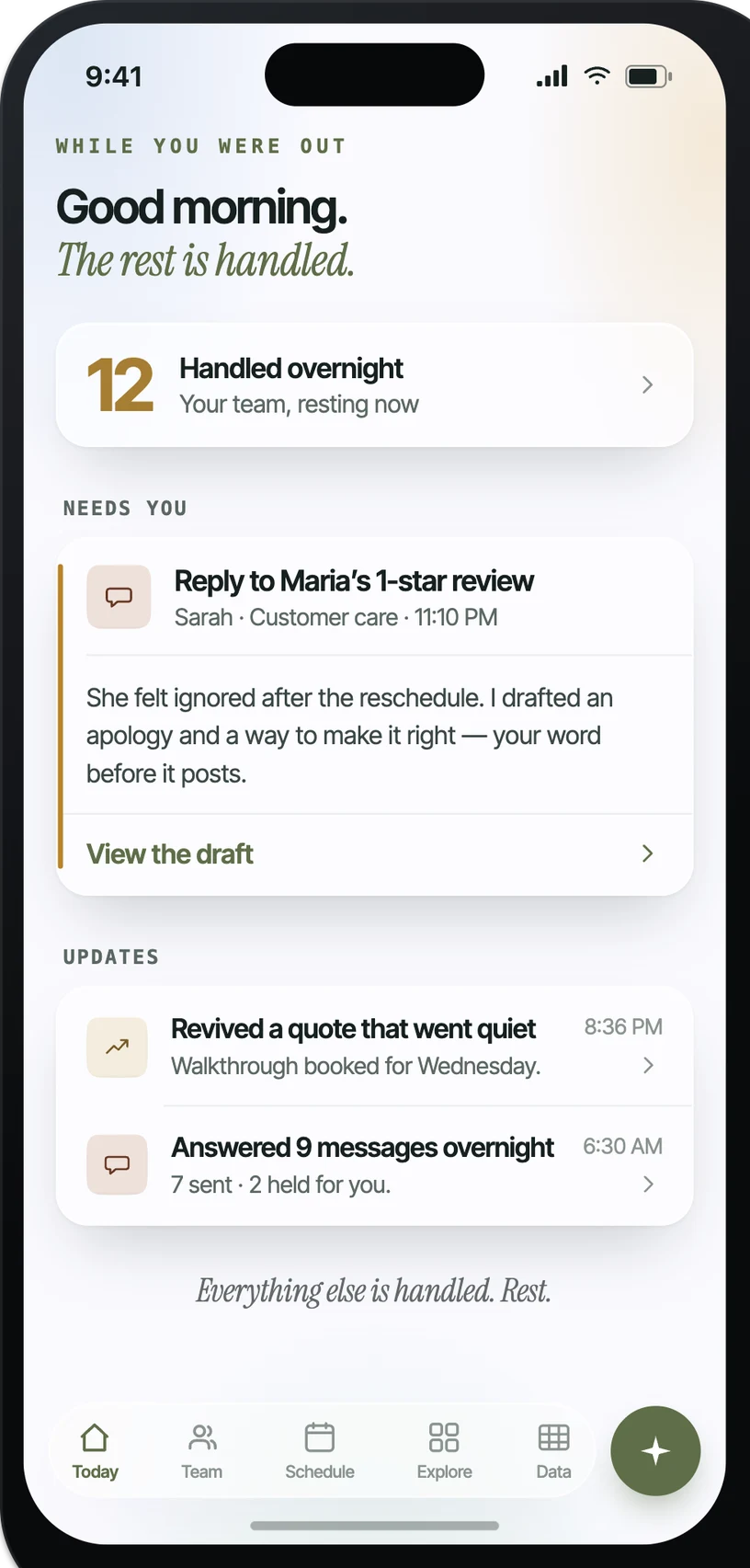
What it looks like in practice.
Example: when New customer or lead email, Automola can reads the thread, checks known context, and drafts or sends the approved reply.. The owner control is explicit: holds angry, legal, pricing, public, or unusual messages.
What actually runs around Gmail.
Practical workflow patterns, not a claim of a certified app.
The inputs Automola can watch.
The work Automola can prepare.
What never happens without your word.
Automola is built around a simple rule: it can move routine work, but it stops before anything that makes a new promise, changes access, affects money, or touches a sensitive customer situation.
Plain answers.
Can Automola send Gmail messages?+
Yes, when the implementation and permissions allow it, but many teams start with draft-only for sensitive lanes.
Can it label and organize Gmail?+
Yes, Gmail supports labels and thread organization, and Automola can use that structure as part of an approved workflow.
What should not be automatic?+
New promises, legal or angry messages, refunds, access changes, and public-facing responses should usually hold for approval.
Start with Gmail.Keep the owner in control.
Connect the tools you already use. Let Automola run the routine workflow around Gmail, and keep sensitive decisions with you.