Automola + MCP
so your managers reach the tools you already run.
MCP is the open standard that lets AI systems connect to tools and data. Automola works with MCP servers, so a manager can use the same context and actions your team does — under the approvals you set.
Automola + MCP (Model Context Protocol) means Automola can act as an AI workflow layer around MCP: it watches approved signals, drafts or runs routine next steps, holds sensitive decisions, and leaves a receipt tied to the source.
What MCP is doing.
The Model Context Protocol (MCP) is an open standard for connecting AI assistants to external tools, data sources, and systems through one shared interface.
External reference: Model Context Protocol
What Automola can own.
What a manager can do depends on which MCP servers you connect, the actions each exposes, and the permissions you grant. You connect the servers; Automola works within them.
From the first lead to the next idea.
The same managers work every stage — and tie MCP to the rest of the tools you already run.
Through MCP, Automola can reach the tools and data that hold your new-business signals, acting on leads wherever they actually live.
Sarah uses MCP-connected context to follow up with the full picture — the records, history, and state a generic bot never sees.
Atlas uses MCP to read and act across connected systems with real context, so the work it runs reflects what is actually true.
MCP is how Automola adopts new capabilities as the standard grows — your workforce gets more useful as your stack evolves.
Use it when the tool has the record, but nobody owns the next step.
A tool or platform you use already ships an MCP server.
You want managers to share the same connected context across systems.
You prefer an open standard over a stack of one-off integrations.
What it looks like in practice.
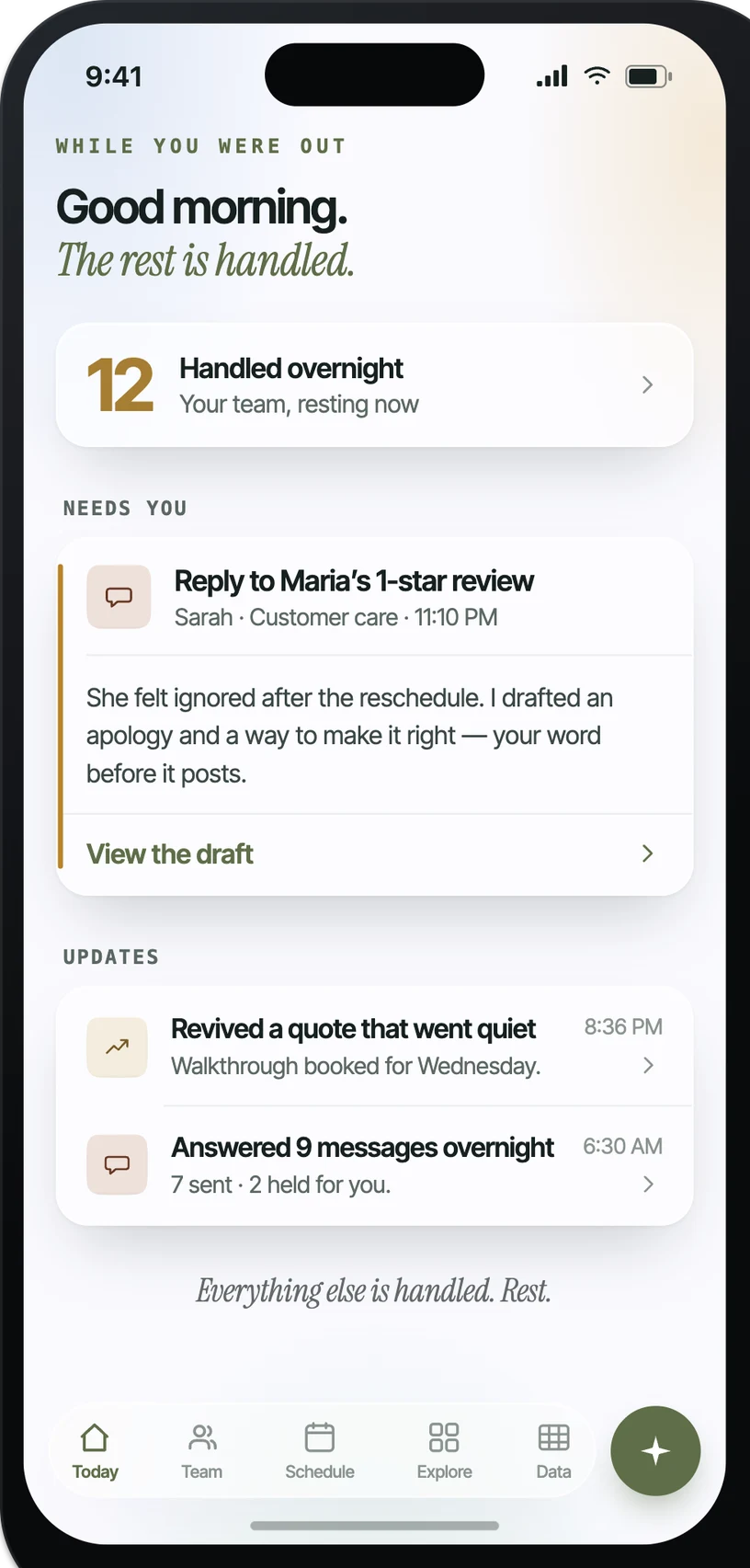
Example: when A connected MCP server exposes a new signal, Automola can reads it in context and prepares the next step, draft, or handoff.. The owner control is explicit: holds anything sensitive for an approve or hold.
What actually runs around MCP.
Practical workflow patterns, not a claim of a certified app.
The inputs Automola can watch.
The work Automola can prepare.
What never happens without your word.
Automola is built around a simple rule: it can move routine work, but it stops before anything that makes a new promise, changes access, affects money, or touches a sensitive customer situation.
Plain answers.
What is MCP?+
The Model Context Protocol is an open standard for connecting AI systems to external tools and data through one shared interface, instead of a custom integration per tool.
Does my tool need an MCP server?+
To connect over MCP, yes. If a tool has no MCP server, Automola can still reach it through its API, webhooks, or connected inboxes and calendars.
Who decides what an MCP-connected manager can do?+
You do — by which servers you connect and the permissions each exposes. Sensitive actions still hold for your word.
Start with MCP.Keep the owner in control.
Connect the tools you already use. Let Automola run the routine workflow around MCP, and keep sensitive decisions with you.